
Zapier Basics as a beginner’s guide to automation for accounting will take you through the automation of accounting at every turn. Tips, examples, and high-performance strategies for obtaining improved results.
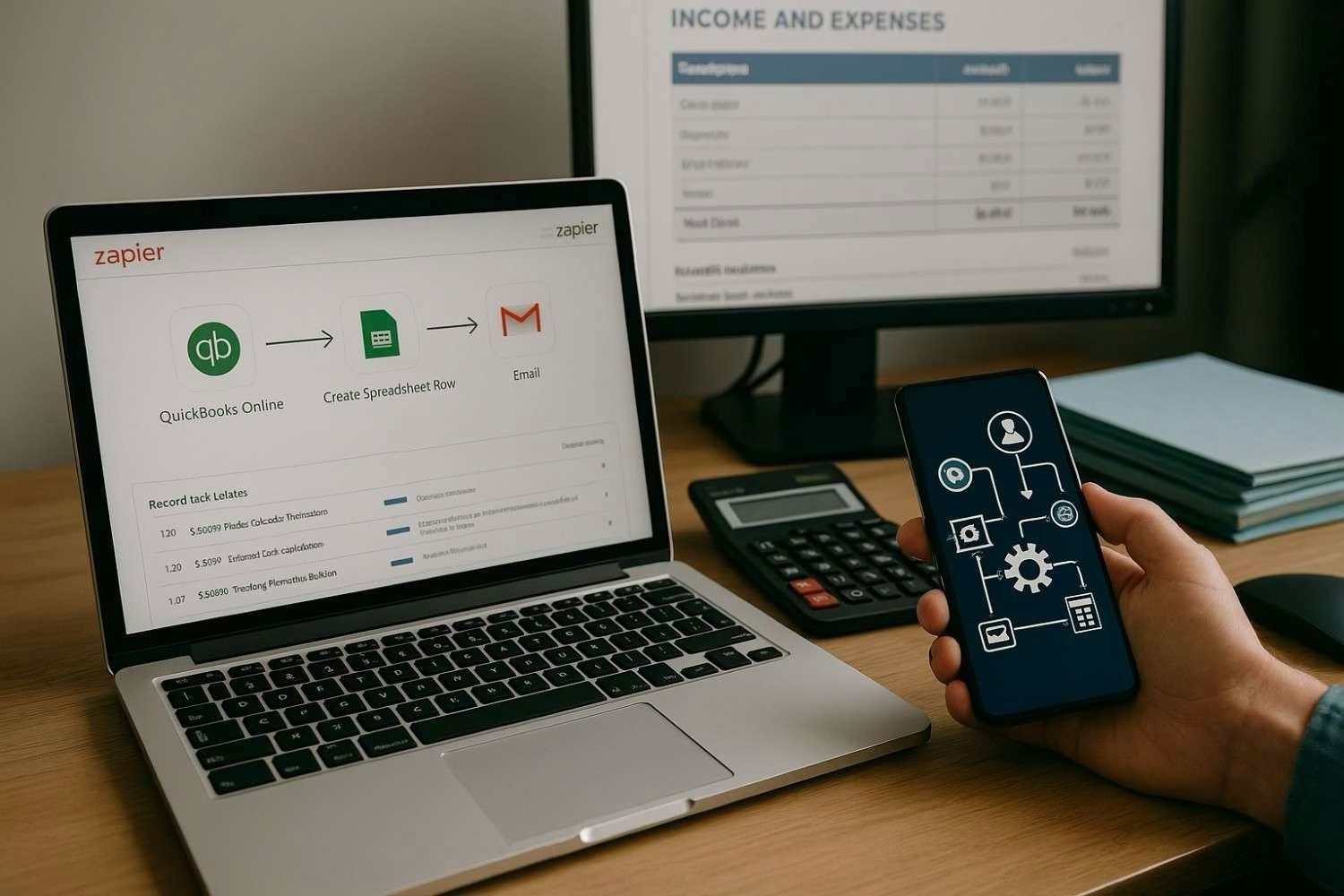
What is bookkeeping automation?
Bookkeeping automation is the term used to describe the process of using technology and tools to streamline and manage accounting and financial recordkeeping-related processes in an automatic way. From synchronizing transactions across applications to creating invoices and expense tracking, automation is typically used in repetitive or rule-based tasks to save time, eliminate errors, and increase productivity.
In traditional accounting, data logging, reconciliation, and filling up spreadsheets are used for daily activities. Due to advances in Zapier workflow automation platforms, small businesses can link almost any pair of apps they use: QuickBooks, Xero, Stripe, PayPal, Google Sheets, among others, for remote bookkeeping.
For entrepreneurs and small companies being pulled in multiple directions, bookkeeping automation can be something of a dream solution. Imagine not having to keep careful track of each payment and expense over several hours each week-letting workflow automation handle the tedious work and leaving just you to strategize and grow.
The flexibility of Zapier’s bookkeeping is its strength. With “Zaps,” which are the term for automated workflows at Zapier, very different tools can be connected so that they produce some reaction. Thus, for example, with each new transaction being registered in your e-commerce platform, a Zap could automatically update your accounting software and tell your financial adviser via email or Slack.
Why bookkeeping automation Matters for Workflow Efficiency
Making bookkeeping automation part of your operating systems will not only advance your finance process but will also promote lean operations. Yet benefits do not end there; this technology is essential to efficiency in workflow:
- Real-time and accurate data: These automated systems cut dramatically on scarcities in human error, offering you a possibility of always dealing with updated and error-free financial records. It makes accounting period, tax season, and financial reporting easier and less frustrating.
- Time saved: Because Zapier accounting has helped companies save tens of hours each month, the time lost to manual entering, logging on multiple platforms, and reconciling spreadsheets can be saved.
- Improved cash flow visibility: In addition, automated systems can be harnessed as a way of demanding continuous data on the financial health of a person or company alongside other benefits.
- Enhanced scalability: When businesses grow, there is growth in the financial records too. Such systems will scale with you, eliminating the need for hiring or outsourcing to accommodate increased workflow.
- Compliance and audit-ready: By ensuring the proper categorization, timestamping, and filing of records a- most aspects of the compliance requirement are to be met. This reduces the company’s exposure to other penalties or such audits.
Zapier plays an important role in bringing these advantages to light. As an integrating platform, it brings over 6,000 toolsets and apps together. The drag-and-drop interface in this software is so simple that even a layman can devise powerful workflows. You could, for example:
- Create a QuickBooks invoice automatically as soon as a customer fills out a Typeform form.
- Add new Shopify orders to Google Sheets and at the same time generate a payment reminder in Xero.
- Automatically deliver your financial summaries to your inbox or to a Slack channel every Friday without writing even a line of code.
How an actual Zapier bookkeeping system functions and the way professionals from across industries are changing over their back offices by smarter workflows would be found here.
Here’s Jane, a freelance graphic designer; Jane indeed knows about pre-automation-that it takes her four to five hours a week to consolidate PayPal payments, update her income tracking sheet, and create invoices through QuickBooks. Then Zapier came into play, and she created this zapp that ate the Paypal transaction details, synchronized them with QuickBooks, and incorporated them into a personal Google Sheet she used for quarterlies.
It only took a few clicks and integrations for her to zip time in bookkeeping by 80%.
Meanwhile, an eCommerce store running on Shopify is in great benefit of automation. For example, connecting an order directly to their accounting software would easily do the trick for them. Often, after a sale of any item, a customer invoice and an inventory order update are generated — with the great advantage that the store owner can then focus more on marketing and fulfillment instead of being lost in spreadsheets and receipts.
It all speaks volumes about the results. There are cost-cutting, friction reduction, and high-speed delivery of improvements. It is not only automation but much more about smart delegation to technology.
Knowledge on how such accounting automation affects the monitoring of your Zapier accounting is either what makes or breaks your performance, so let’s explore actual examples of such indications.
Best practices to optimize workflow using bookkeeping automation
Automation in bookkeeping, applied strategically, can convert into automatic and error-prone financial activities into workflows that can be automated and moulded to further expand a business in the long run. Investment into automating finances applies true for growing, emerging, as well as the firmly established organization. It will lay out standard procedures ensuring return on investment and provide a solid base in business operations.
1. Integrate with business-critical tools
Leveraging integration becomes the forte of automation since it eliminates communication barriers and enables smooth flow of information autonomously and securely across bookkeeping systems, CRM platforms, invoicing tools, and payment processors. Key bookkeeping application vendors, for instance, QuickBooks, Xero, and FreshBooks, have been linked to Zapier bookkeeping workflows. The platform allows data sharing concerning accounts without interruption by human input.
For example, you can set it up so that revenue from Stripe is automatically recorded onto the accounting platform, expenses from business emails are categorized, or even so that your team is alerted via Slack when a new invoice is paid. It reduces lag time, maintains data originality, and frees up time that can be devoted to more high-impact analysis.
2. Maintain consistent data validation checks
Even if automated, always remember that this does not translate to extreme leniency. Create validation checkpoints that measure the accuracy of the situation and also comply with such requirements. Any form of complet-process should also underscore validation. It could be in everyday accounting summary sent to accounting, and it could also identify red flags on dashboards when tons of anomalies happen.
Reliable accounting automation will streamline those records so your data is accurate and all your regulatory obligations are met, thereby cutting costs linked to audits, penalties, or filing errors.
3. Customize workflows based on business scale
“Some businesses may be comfortable with a 5 person team; however, such settings may n ot work for a growing company with international business. Any implementation of bookkeeping automation must consider how financial processes are complex, and its scaling should agree with the automation.”
Zapier bookkeeping tools suit small budget companies well because those users get into the automation without the need for greater development costs. Later, as you increase your needs, you can stack bigger automations, such as API connections and AI-driven classification, on top of the previous technology for even more powerful performance.
Real-world use cases of bookkeeping automation with Zapier
The ability of Zapier to tie thousands of its applications together makes it an excellent tool for putting up custom-built and automated bookkeeping. For example, you can see how professionals utilize workflows origination from Zapier that boosted their operations.
Case Study #1: Freelance Consultant Automates Invoicing
A marketing planner appreciated Zapier’s integration of automation in between Google Sheets and FreshBooks for invoicing. She added invoices from a new customer to a particular spreadsheet through Zapier, plus then a new invoice was generated created right within FreshBooks showing all items as the line. Another Zap putting the payment through makes the invoice “Paid,” plus the proceeds dashboard on Notion gets updated.
Benefits:
- Reduction in manual data entry requirements by more than 15 hours per month
- 90% reduction in invoicing errors
- Improved tracking and follow-up ability for receivables
Case Study #2: E-commerce Company Streamlines Expense Logging
There are at random hundreds of supplier invoices on the part of an online retailer every month if manually categorized.is made possible to take every invoice from Gmail to Xero and Google Drive via Zapier and to proceed from incoming invoicing by intelligent OCR to categorizing them, recording them alongside rules for accounting.
Benefits:
- 60% reduction in monthly bookkeeping workload
- Much faster, briefly reconciled quarterly closings
- Greater involvement through improved tax accuracy
Addressing challenges of bookkeeping automation
Despite all the benefits of providing good value, transferring from manual to automated bookkeeping often is a problematic challenge for most companies. This is also largely due to unfamiliarity with tools used. The most common problems include the following:
- Data Silo: Whenever they are unable to communicate, systems turn into different data silos. The absence of any relational capacity within API-first systems such as Zapier shows the importance of getting the right tools.
- Employee training: Besides training teams on using tools, they should also know how to adjust the SOPs. Visualization of the documentation (e.g., how-to) and feedback loops will reduce resistance and make smoother adoption possible.
- Security compliance: It is also corporate compliance regarding the fact of financial data flowing across tools that may necessitate the management of encryption and compliance standards (GDPR, SOC-2, etc.). Allotment of regular audits to integrations sites keeps data integrity under control as well.
Looseness in secrecy and making room for burstiness should be charmed oppressively-so-otherwise necessary for laying very heavy from front to back; however, and just through this can business automation for the history of bookkeeping really simplify these processes, fortify operative security and transparency etc., yet this should be ahead of anything.
Future trends in bookkeeping automation
The future of automation for bookkeeping is created by a vast improvement in AI and machine learning, dragging towards an exponentially driven hyperbole in making such fields. Intelligent categorization, predictive cash flow models, and automated audit trails now are built into major accounting technologies. Tools like Zapier will become more intuitive and programmatically enable natural language automation setup, even auto-careful opportunities in new pipelines.
Nowadays, because businesses are willing to apply real-time financial insights driven by affordable workflows, Zapier’s ability to create a task automation as set with natural human language will play a more significant role for this tool. It may also find new opportunities due to the capability of detecting the new pipeline opportunities. On the other hand, workflows and financial transparency and responsiveness to clients should make businesses using such features probably outshine their competitor in the coming few years. Hence, it is advisable that businesses adopt Zapier bookkeeping techniques into their daily activities as soon as possible before automation will be an industry norm.
Frequently Asked Questions
What is bookkeeping automation in simple terms?
Bookkeeping automation can refer to a process or system where software and technology facilitate routine accounting works, especially data entry works, reconciliation processes, and report generations. It profoundly enriches Zapier bookkeeping task management through amazing time-saving automation tools that eliminate errors and improve accuracy.
How does bookkeeping automation help?
Bookkeeping automation provides an advantage to your business in enabling the working of the business smoother. It locks in time saving on manual entries made in financial statements, correcting and fixing ledger mistakes, and ensures faster financial reporting wherein owners or accountants can work on more productive, higher levels of analysis or judgment. With Zapier having multiple-account links automatically executed, this proves to be a powerful process.
Can I apply bookkeeping automation myself?
Of course. Most small businesses and freelancers take advantage of the easy-to-use tools to automate bookkeeping. They can do this with QuickBooks, Xero, etc., while businesses use Zapier for integrating an automation process into their businesses even without a programmer’s help.
What tools should I use?
Some software and tools to get started are QuickBooks for ledger accounting, Zapier for process automation flows, and Google Sheets for the handling of dynamic databases. The Zapier bookkeeping system is quite flexible and is used to connect the usual stuff like your favorite tools and apps (i.e., Shopify, Stripe, and Gmail), thus providing an extremely streamlined workflow without all the manual input.
Benefits of Automating Bookkeeping
There are many advantages to using bookkeeping automation.
- You save on time: You can run automation to reduce the need for mundane data entry work plus synchronization tasks, which can save you hours daily.
- Accuracy and Lower Chances of Error: Automatic systems have fewer chances of making mistakes in any manual bookkeeping process.
- Real-Time Reporting: One of the most beneficial features of automation is always keeping your records open for the most recent data, enabling you to make decisions based on this data.
- Scalable: Automation ensures that your business takes automatic measures since it grows, in order that the bookkeeping rate continues to be maintained without needing to hire further staff.
- Audit-Ready Documentation: Having records consistent and organized by automation does wonders when your records need to be audited or even when tax season comes in.
One of the most impactful ways to increase your efficiency is utilizing bookkeeping workflows in conjunction with third-party automation tools, such as Zapier, to take care of things like receipt uploads to the cloud, syncing invoices between platforms, tracking payments from clients and more.
Real-World Use Case: Small Business Success with Automation
Once, upon having an ecommerce business, it would easily involve 20 orders per week. Automated bookkeeping allows you to set up workflow where all Stripe payments generate transactions in Quickbooks without lifting a finger.
The invoice can even be sent through Gmail and created within Google Sheets before being uploaded to Google Drive. In another word, all of this can happen automatically with Zapier.
It goes well beyond optimizing daily tasks and eradicating double entries or the late entry of finances. All of the financial situations are live! This makes it a perfect example where Zapier makes small businesses work smarter, but not harder.
Expert Tip: Start Small, Then Grow
So if you’re just starting automation, you can actually try one or two workflows-such as payment syncing or auto populating expense categories. Watch them work and, every now and then, add any other tools that can possibly work. Keep track by calculating the ROI or by the meter of measurement in terms of time-saving and correctness of the data.
Next Steps
Ready to take control of your financial workflows? Bookkeeping automation is not just for large corporations—small businesses can benefit just as much, especially with easy-to-use tools like Zapier. Whether you’re a freelancer trying to stay on top of invoices or a growing startup building financial intelligence, there’s a solution tailored to your needs.
Explore Automation Tools
- Learn about our approach to automation
- Custom Zapier bookkeeping setups
- Zapier – Build your first workflow
- QuickBooks – Trusted accounting software
Start your automation journey today. Contact us for a personalized consultation and transform your bookkeeping process.